
Understand where your storage space went
Disk Story
See which folders take up space and how they change over time, with a history that stays on your computer.
- Windows x64
- Microsoft Store distribution
Free app
All features are free. No licence key, payment or subscription is required.
Coming soon to the Microsoft Store. Public release is being prepared.
See the screenshots
The interface, in detail
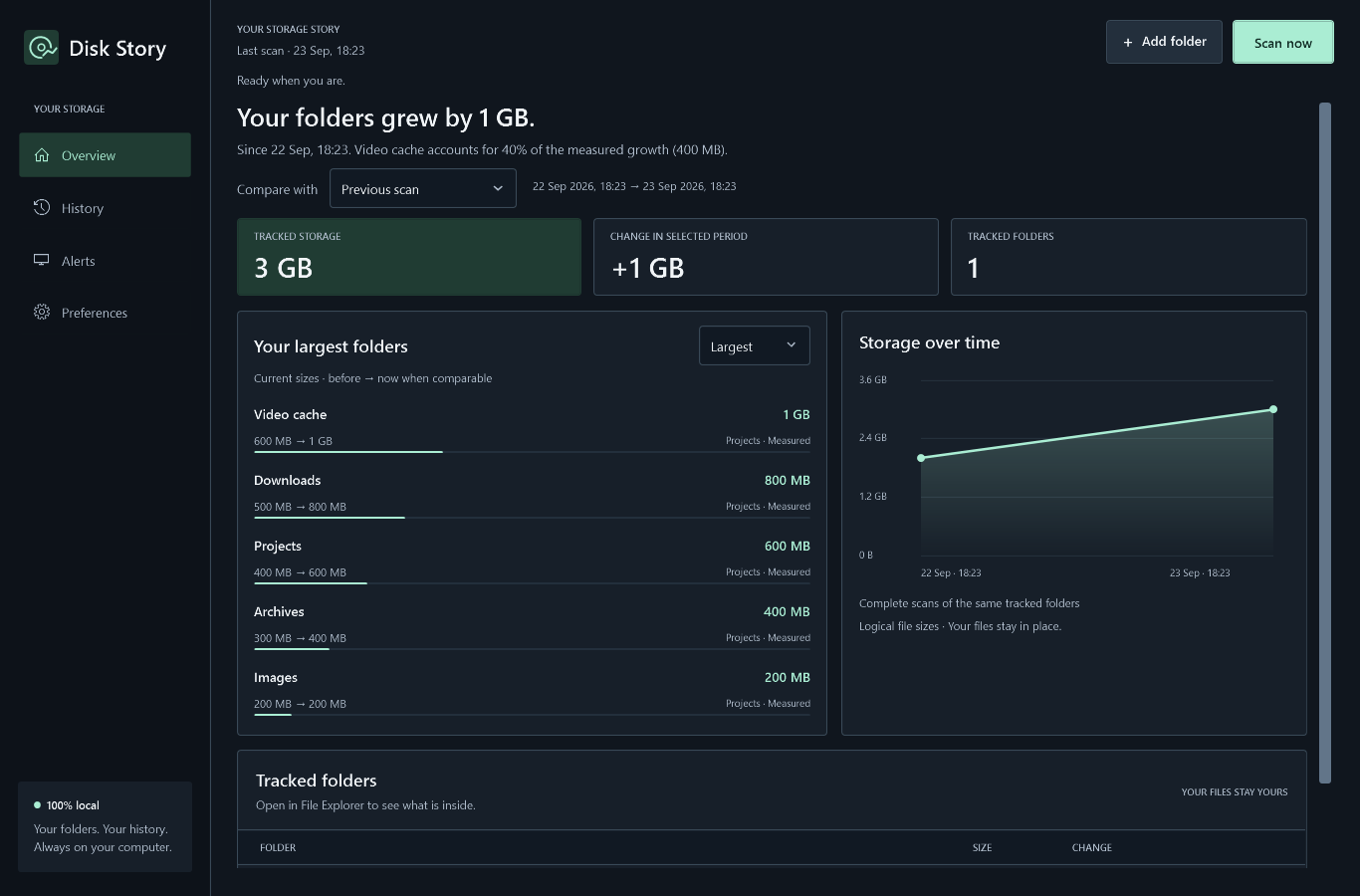
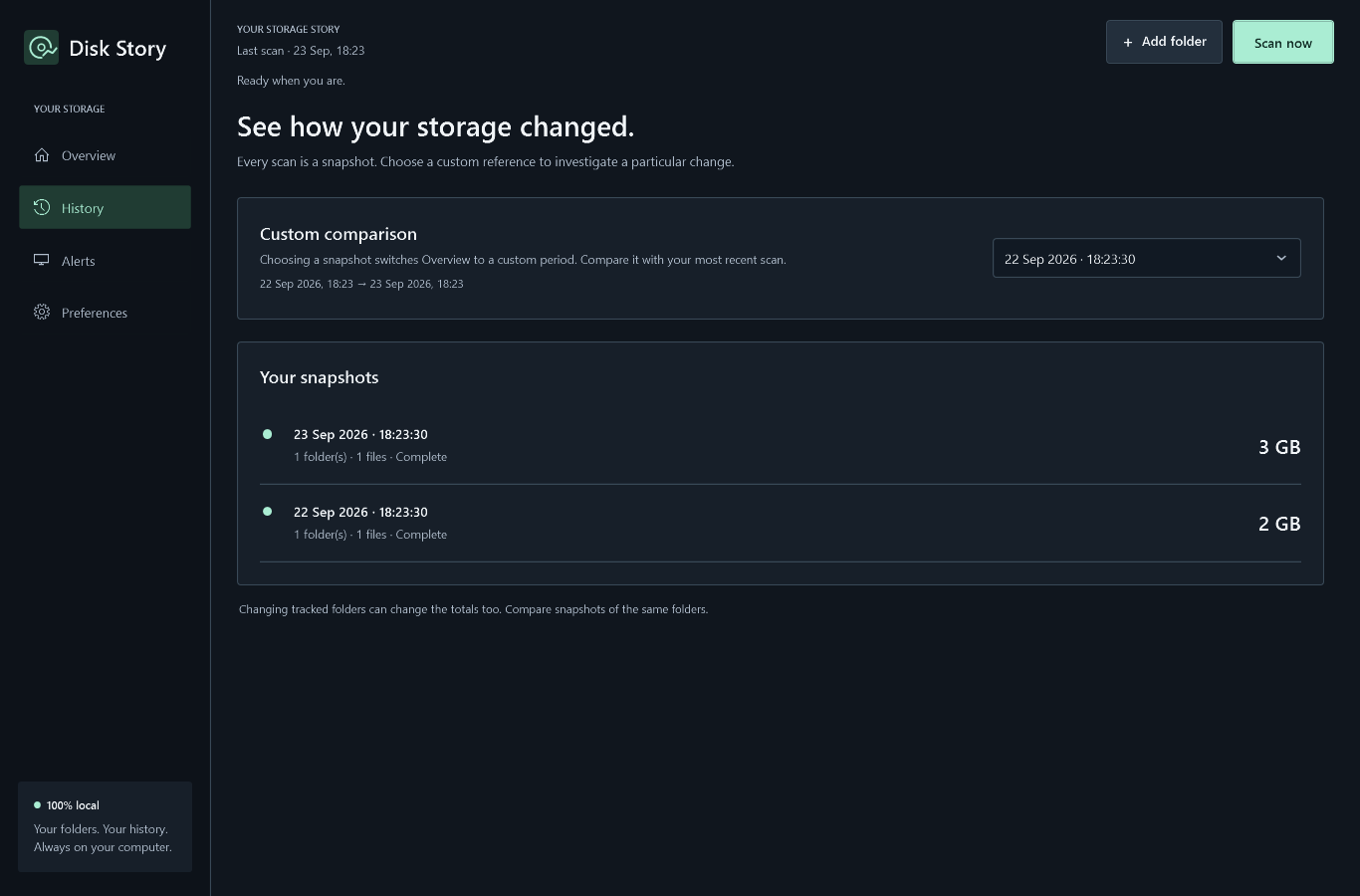
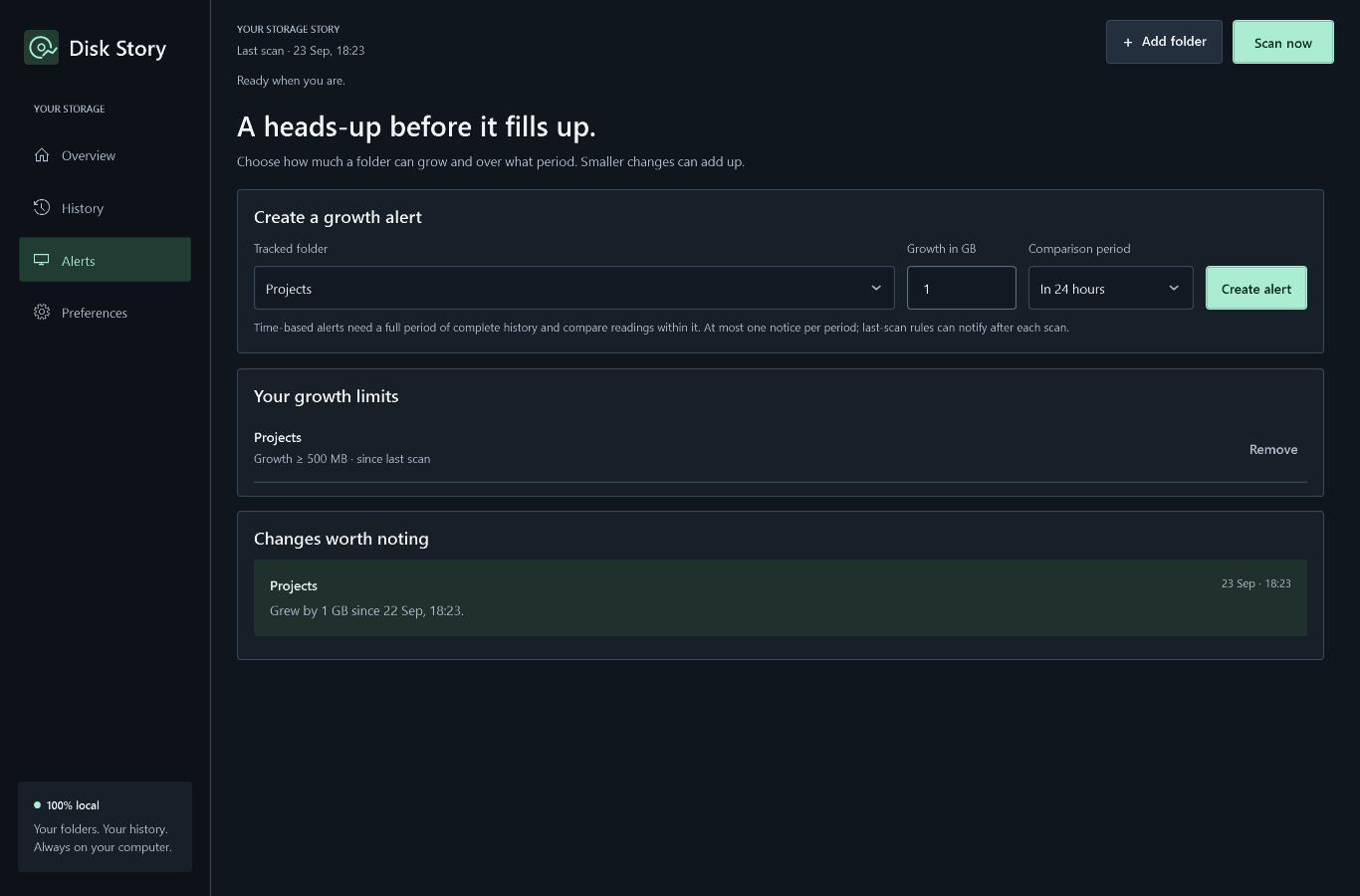
Screenshots from a preview build with example folders and history. Select an image to open it at full size.
About Disk Story
Choose the folders you want to track. Your first scan shows the largest subfolders; later scans reveal what grew, what got smaller, and which folders contributed most to the change.
Compare saved scans with the previous scan, yesterday, 7 days ago, 30 days ago, or a reference you choose. Disk Story shows the dates being compared and tells you when there is not enough history.
Disk Story reads file and folder metadata without opening file contents or changing your files. It measures logical file sizes in the folders you select, which can differ from the space physically allocated on an SSD. Links, cloud-only entries and inaccessible entries are skipped, and partial results are marked.
What you can do
A history of what changed
Follow storage over time and compare current sizes with an earlier scan. A clear summary identifies the main contributor to a change.
The folders behind the numbers
Switch between Largest, Grew and Shrank, see before-and-after sizes, and open a folder in File Explorer.
Growth alerts you choose
Set a folder growth limit between scans or over 24 hours, 7 days or 30 days. Review alerts inside Disk Story after a scan; period-based rules need enough complete history.
Scans at your own pace
Scan when you want or choose an automatic interval. Scheduled scans run while Disk Story is open; alerts appear in the app.
Local, protected history
History and backups use Windows data protection tied to your Windows account. There is no account to create, cloud sync, advertising or telemetry.
Your files stay in place
Scanning only reads metadata. Disk Story does not delete or move your files, and it marks incomplete readings instead of presenting them as complete totals.
Free app
All features included
All features are free. No licence key, payment or subscription is required.
The public Microsoft Store release is being prepared. The download link will be added here when it is available.
Questions about Disk Story?
Read how the app handles your information, or get in touch for support and product questions.