
Audio-reactive live wallpapers for Windows
HYPNIX
Animated wallpapers for Windows with audio-reactive effects and separate settings for each monitor. Version 1.2.3 adds an ocean with moving clouds and a day/night cycle.
- Windows x64
- Microsoft Store distribution
Free download
Includes a 15-day free trial. A paid licence is required to continue using HYPNIX after the trial. No automatic charge.
€3.99HYPNIX licence · one-time payment

Version 1.2.3 was submitted on 28 September 2026. The new ocean and update controls become available through the Store after certification and rollout.

Walkthrough
Screenshot walkthrough
A silent, captioned walkthrough made from real screenshots of an earlier HYPNIX preview build. The four-display example uses a simulated monitor setup; the version 1.2 audio controls are not shown in this video.
Read the walkthrough description
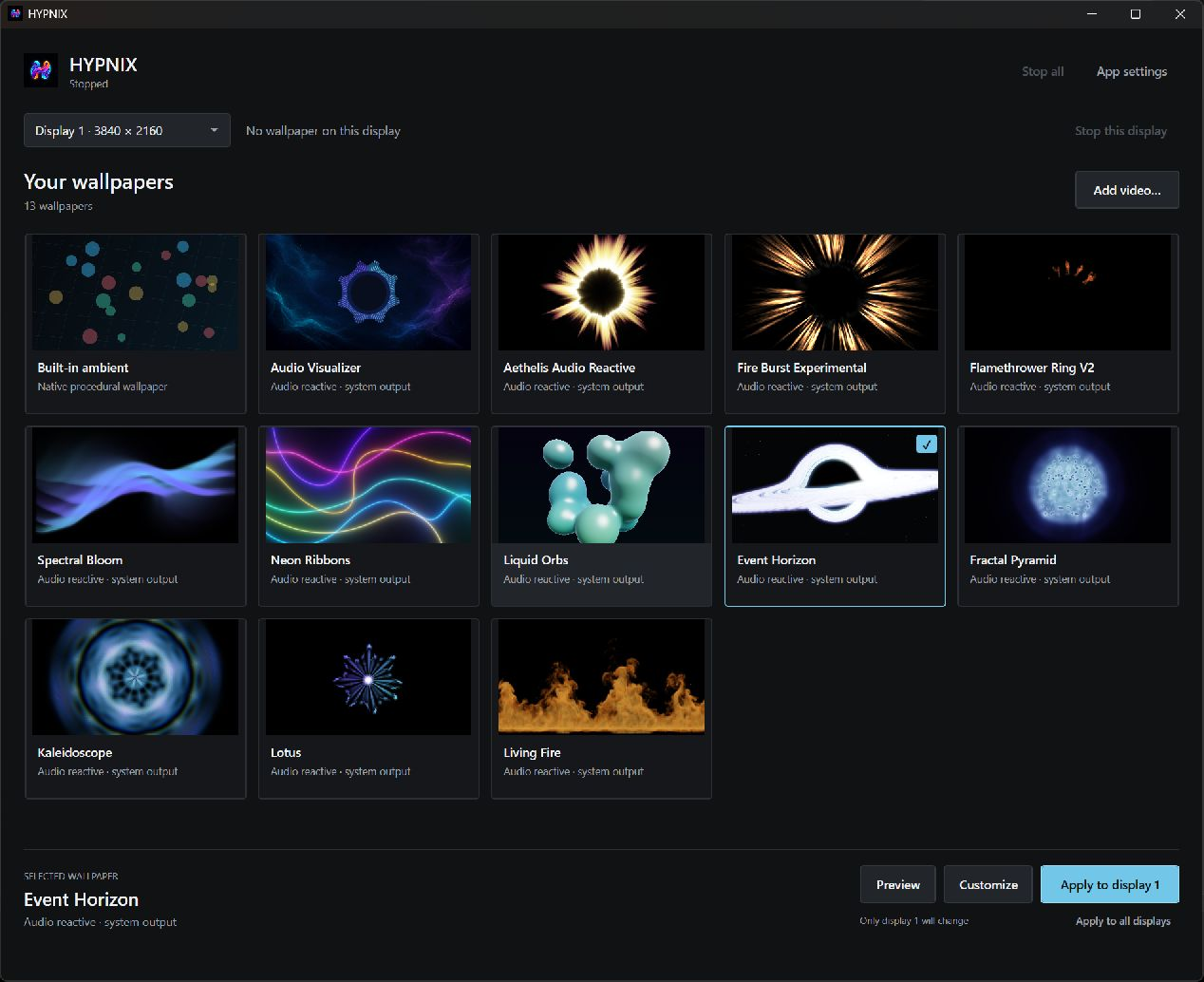
- Find your desktop style: browse the built-in wallpaper collection or add a local video from your computer.
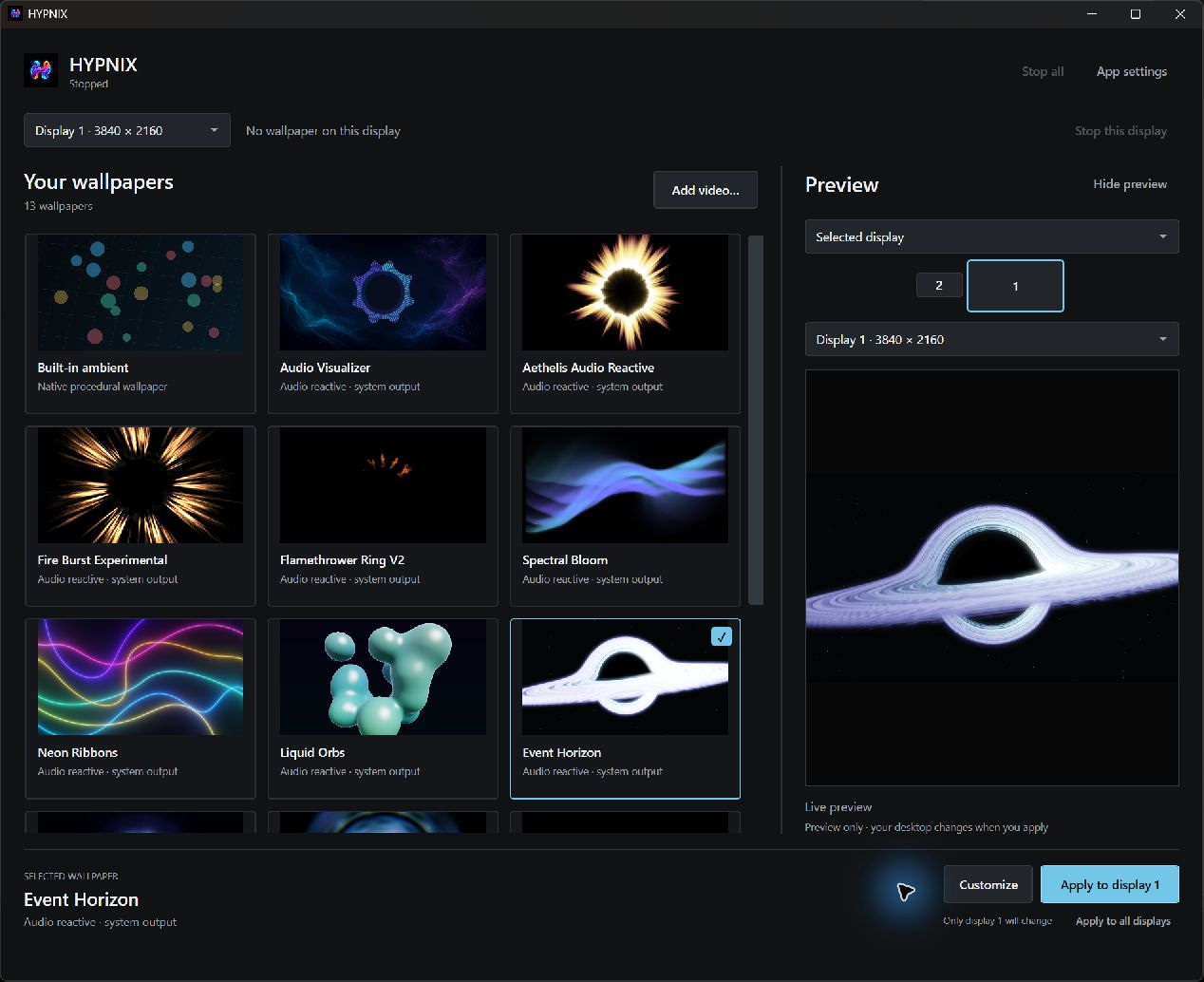
- Preview before you apply: the preview panel shows the selected wallpaper.
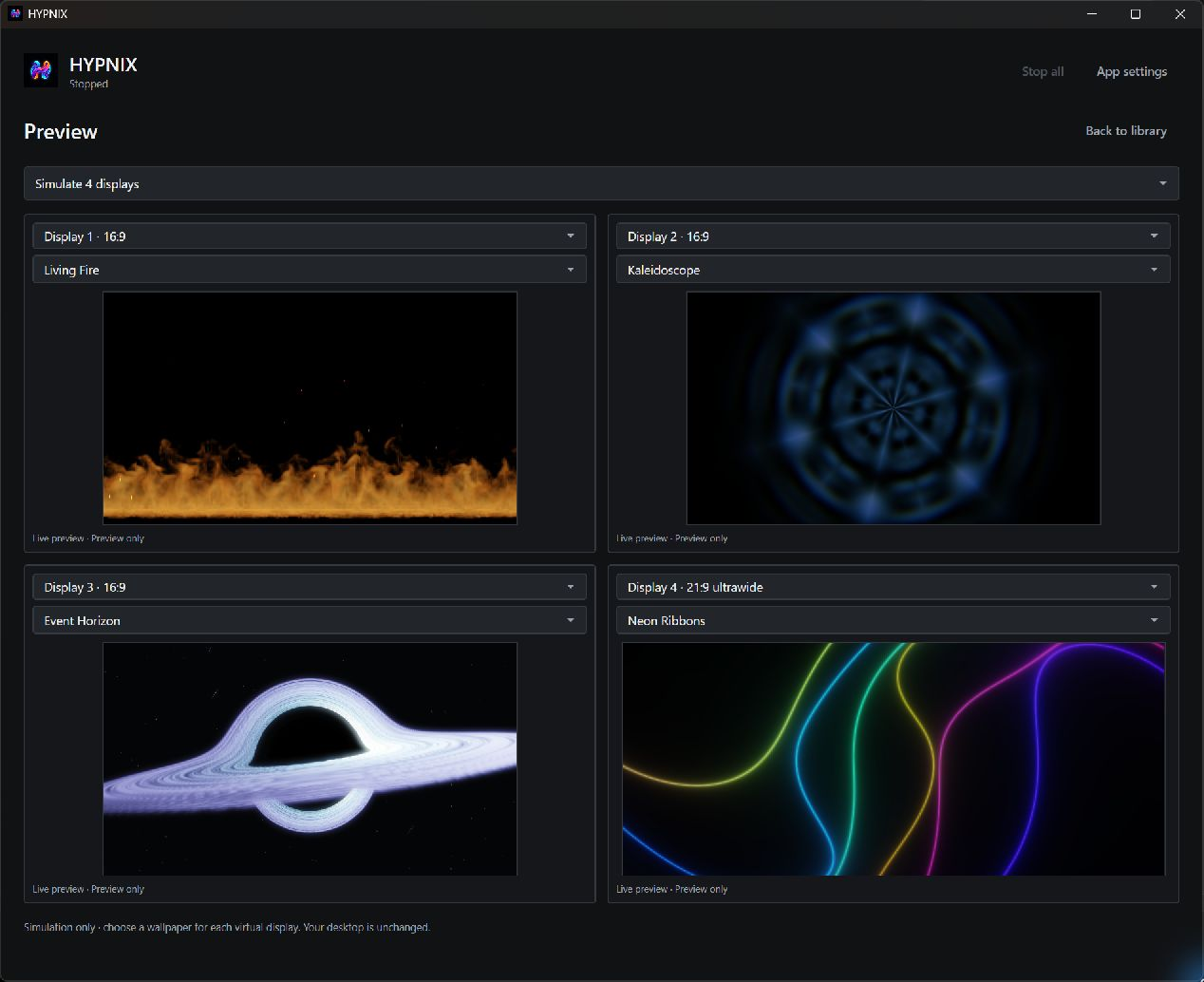
- Plan each display: the four-display simulation shows a different wallpaper for each virtual display.
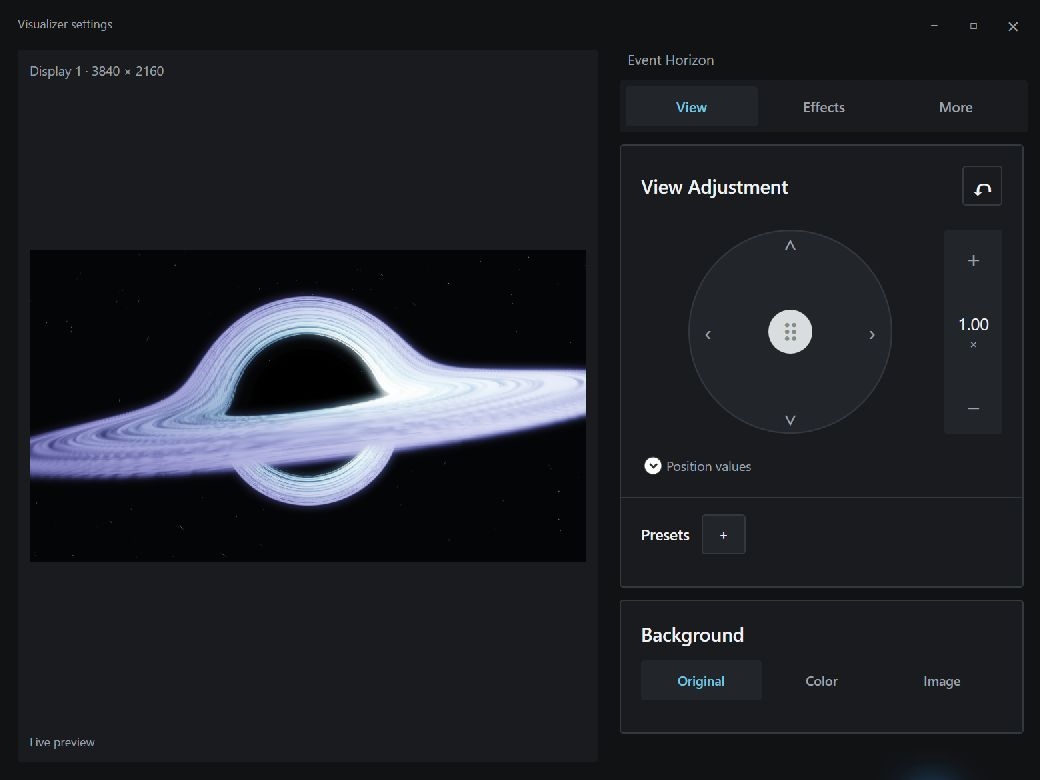
- Make it your own: adjust position, zoom and background for the selected wallpaper and display.
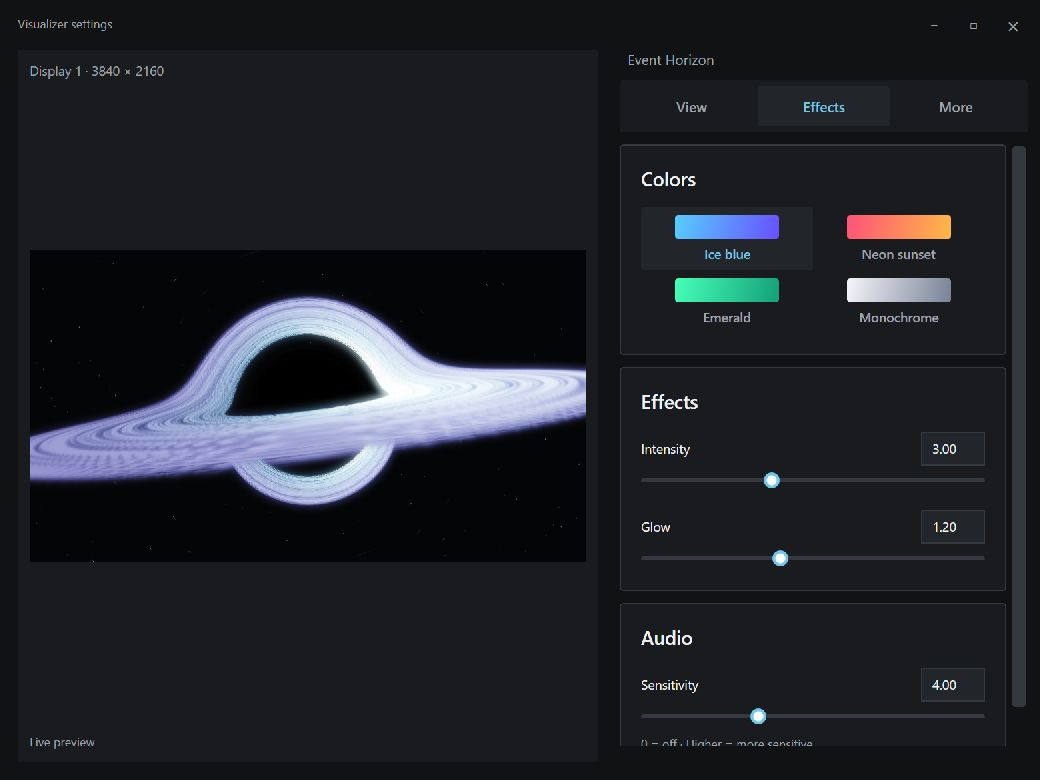
- Tune colours and effects: choose a palette and adjust intensity, glow and audio sensitivity where supported.
Application screenshots
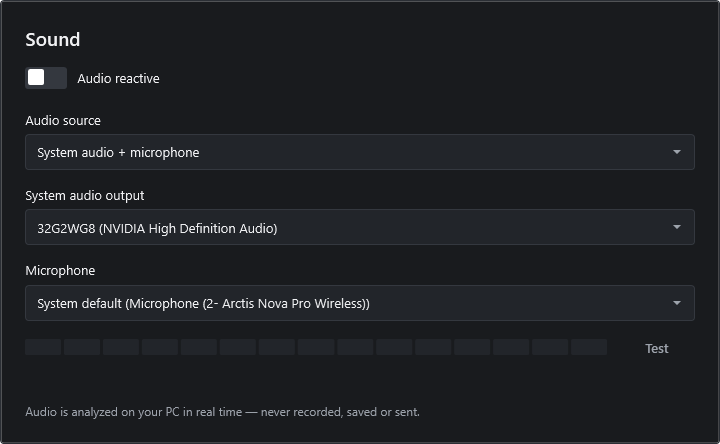
Version 1.2 Sound controls and earlier preview-build screenshots. The microphone meter is inactive in the settings capture; the four-display view is simulated. Select an image to open it at full size.
About HYPNIX
Choose an animated wallpaper from the library and preview it before applying it. Supported visualisers and light effects can respond to your music, and you can adjust their appearance in Wallpaper settings.
Version 1.2.3 adds an ocean wallpaper with animated water, moving clouds, atmospheric lighting and a day/night cycle. Adjust its environment in Wallpaper settings and preview the scene before applying it to a display.
Version 1.2 lets you choose system audio, a microphone, or both. Select your audio devices and check microphone input with a live level meter. Audio is analysed locally, without saved recordings, audio uploads or microphone playback.
Open Wallpaper settings to adjust the sensitivity, intensity, colours, glow and appearance controls supported by each wallpaper. Save your presets and choose independent wallpapers and settings for every display.
HYPNIX is a premade Windows application with a free Microsoft Store download and a 15-day in-app trial. The ocean and new update controls require version 1.2.3; availability follows Microsoft certification and Store rollout. Existing audio-source and device controls require version 1.2 or later. Check your installed version if these controls are missing.
HYPNIX features
Ocean environment
Version 1.2.3 combines animated water, moving clouds, atmospheric lighting and a day/night cycle. Use the environment controls to adjust the scene, with a live preview of your changes.
Audio sources and reaction
In version 1.2, choose system audio, microphone, or both. Microphone use is optional, and new profiles start with system audio. Turn off audio reaction while keeping the animation running.
Independent monitor settings
Apply different wallpapers to each monitor or use the same one across all displays, with independent settings.
Visual controls and audio devices
The highlighted Wallpaper settings button opens supported visual controls and presets. In App settings, select audio devices and check the microphone level before using it.
Automatic pause settings
Choose automatic pause options around other apps or while running on battery power. Version 1.2.3 improves pause handling for windowed apps.
Startup and updates
Control startup with Windows and, in version 1.2.3, check for updates from the header, Settings or tray. Store-installed copies query Microsoft Store and open the product page when an update is available.
Preview and loading improvements
Version 1.2.3 improves preview startup and stability while the app window is open. You can apply a wallpaper while saved display settings are still being restored.
Questions about HYPNIX
What is new in HYPNIX 1.2.3?
The update adds an ocean wallpaper with moving clouds, atmospheric lighting, a day/night cycle and environment controls. It also improves live previews, Windows startup, wallpaper loading and automatic pause handling, and adds update checks from the header, Settings and tray. Version 1.2.3 was submitted to Microsoft on 28 September 2026; Store rollout follows certification.
How do I get the ocean wallpaper and check for updates?
Install or update HYPNIX through Microsoft Store when version 1.2.3 is available for your device. The ocean requires that version. Once installed, use Check for updates in the header, Settings or tray to query Microsoft Store. Updates are installed through the Store. Local or portable copies open the Store product page; this does not update the local executable.
Can I choose system audio, microphone, or both?
Yes, in version 1.2 or later. Open App settings > Sound, enable Audio reactive, and choose System audio, Microphone, or System audio + microphone. Microphone-only mode excludes system playback; system-only mode does not open the microphone. HYPNIX does not include a music player or music catalog.
Can I keep the animation running without audio reaction?
Yes. You can turn off Audio reactive while keeping the wallpaper animated. Supported effects also offer audio sensitivity and visual controls so you can customize their response.
Does HYPNIX record or upload my microphone audio?
No. Audio is analysed temporarily in memory on your PC to animate supported wallpapers and show the microphone level. HYPNIX does not save recordings, upload audio, transcribe speech or play your microphone through the speakers. Microphone use is optional.
How do I select and test a microphone?
In version 1.2, App settings > Sound lists your available devices. Follow the Windows default or choose a specific device. With a microphone source selected, the meter shows input while audio reaction is enabled; with audio reaction off, use Test and Stop test. Listing devices alone does not capture audio. Leaving App settings stops its meter and test, but enabled wallpaper reaction can continue. Choose System audio or Quit HYPNIX to stop all microphone use. A missing microphone does not prevent using the app.
Can I use different live wallpapers on multiple monitors?
Yes. Choose a different wallpaper for each display, with independent settings, or apply the same wallpaper across all displays. You can preview and customize supported effects before applying them.
Is HYPNIX available, and how much does it cost?
HYPNIX is available as a free Microsoft Store download. It includes a 15-day trial without a payment card or automatic charge. The licence costs EUR 3.99 as a one-time purchase through Lemon Squeezy; distribution and updates use the Microsoft Store.
Paid licence
HYPNIX licence
The download is free. This price is for the software licence.
€3.99 EUR
One-time payment · No subscription
A software licence for animated wallpapers, audio-reactive effects and per-monitor customisation.
Try it free for 15 days. No payment card is required and the trial does not charge you automatically.
Any applicable taxes and the final total are shown at checkout before payment.
Download and activation
- Download for free from the Microsoft Store. Installation and app updates are free.
- Continue after the free trial. Buy a licence through Lemon Squeezy with a one-time payment.
- Activate your licence in the app. Enter your key to unlock HYPNIX.
Version 1.2.3 was submitted on 28 September 2026. The new ocean and update controls become available through the Store after certification and rollout.
These are premade Windows applications. No consultations, custom development or other services are sold.